How to Get Max FPS and Zero Lag on counter strike
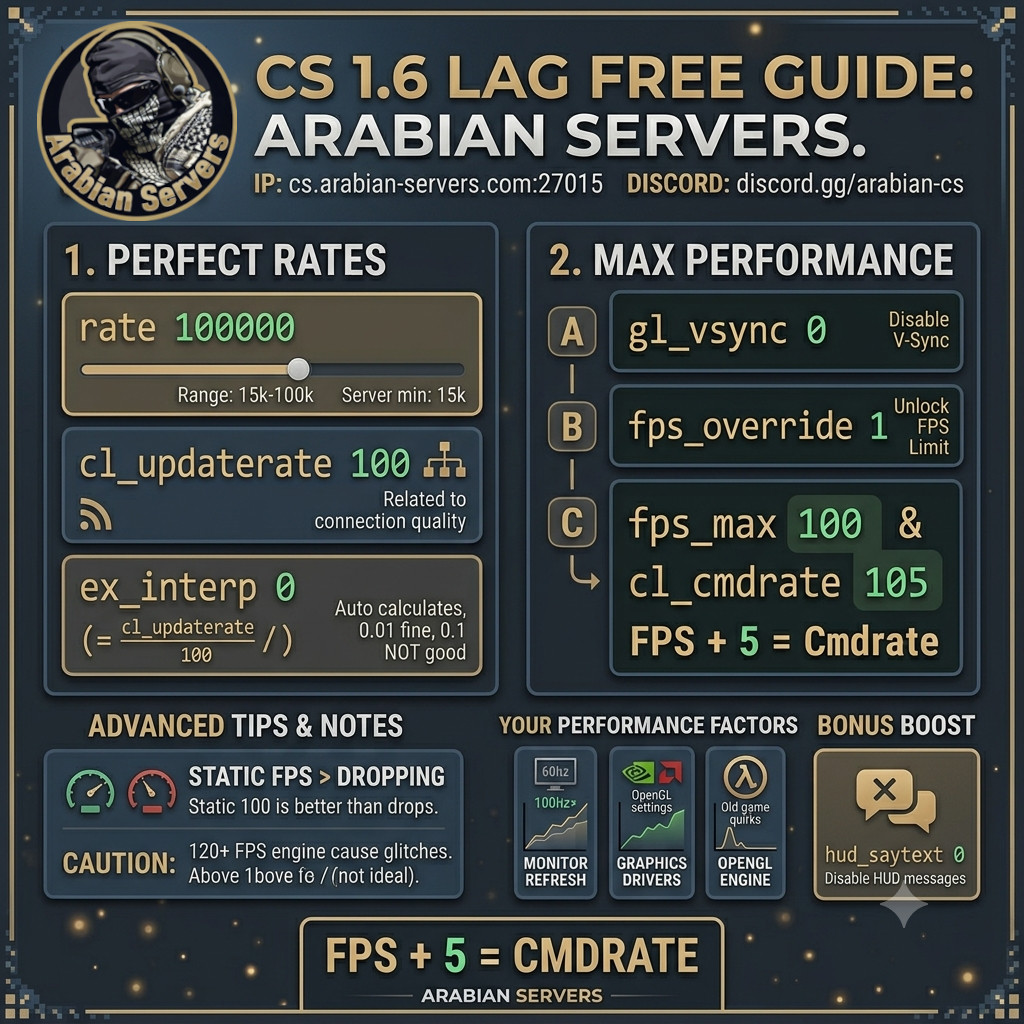
Are you experiencing lag or stuttering during intense matches? Having the correct console settings is crucial for competitive gaming. 📌
To ensure you experience smooth, lag-free gameplay with maximum frames per second (FPS) on our server, we have put together this quick and easy optimization guide.
By taking a few seconds to input these commands, you will improve your hit registration, eliminate rubber-banding, and make your game run beautifully.
📡 1. Configure the Perfect Network Rates:
To sync perfectly with our server and eliminate packet loss, you need to adjust your network rates. Open your developer console by pressing the tilde key (~) and enter the following commands:
rate 100000
cl_updaterate 100
ex_interp 0
Optimization Note: If your internet connection is slower, your rate value can be adjusted anywhere between 15000 and 100000. Additionally, while ex_interp 0 forces the game to calculate the best interpolation automatically, setting ex_interp 0.01 is also an excellent alternative for smooth player models.
🖥️ 2. Unlock Your FPS Limit for Maximum Performance:
By default, your game might be capping your frame rate or tying it to your monitor's refresh rate. To unlock your FPS limit and maximize your visual smoothness, open the console (~) and type these commands in one by one:
gl_vsync 0
fps_override 1
fps_max 100
cl_cmdrate 105
The Golden Rule of Command Rates:
Notice how the cl_cmdrate is slightly higher than the fps_max? This is not a typo; it is essential for optimal network performance.
Your
cl_cmdratemust always be your target FPS, usually every 100 you have to add 5.Example: If you set your
fps_maxto 100, yourcl_cmdratemust be 105.Example: If you set your
fps_maxto 144, yourcl_cmdratemust be 152.
By following these simple steps, your client will be perfectly tuned for our server environment. Jump back into the game, enjoy the buttery-smooth performance, and start climbing the leaderboard! 🏆